ip
User Guide
CathyTheChattycat is all you will ever need as an all in one task manager application. ——————————————————————————————————————–
Quick start
-
Ensure you have Java
11or above installed in your Computer. -
Download the latest
CathyTheChattyCat.jarfrom here. -
Copy the file to the folder you want to use as the home folder for your AddressBook.
-
Open a command terminal,
cdinto the folder you put the jar file in, and use thejava -jar duke.jarcommand to run the application.
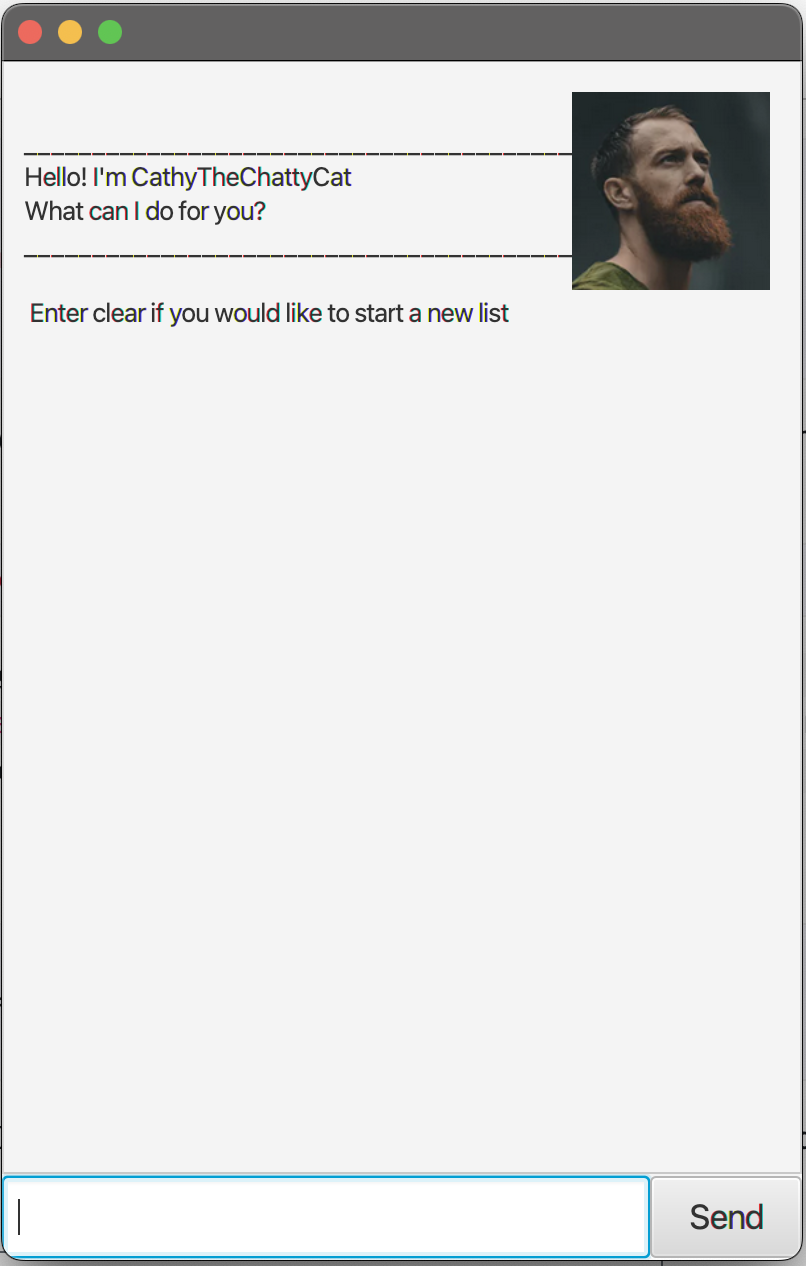
A GUI similar to the below should appear in a few seconds. Note how the app contains some sample data.
-
Type the command in the command box and press Enter to execute it.
-
list: Lists all Tasks. -
todo study: Adds a todo task namedstudyto the task list. -
deadline study /by 2023-10-09: Adds a deadline task namedstudyto the task list by 2023-10-09 YYYY-MM-DD. -
event study with jody /from 2023-10-09 /to 2023-10-20: Adds a event task namedstudy study with jodyto the task list from 2023-10-09 YYYY-MM-DD to 2023-10-20. delete 3: Deletes the 3rd contact shown in the current list.mark/unamrk 3: Marks/Unmarks the 3rd Task in the current listmark 1,2,3: Multiple commands can be done for delete/mark/unmark by listing indexes such way.-
clear: Deletes all tasks. bye: Exits the app.
-
-
Refer to the Features below for details of each command.
Features
Adding tasks
- You can add either a todo, deadline or event type task into your tasklist.
Delete tasks
- You can also delete any task base on indexes.
Mark or UnMark tasks
- When you are done with a task you can mark it as done, if you decide to Unmark it, it can be done as well.
Finding task
- If you want to find a task base on keywords, you can use the find function which returns tasks with the same keyword.
Clear
- You can clear the whole task list with a simple command.
List
- You can also view your entire list.
Saves the data in your task list
- All the task you have input will be saved into the text file within the system, so don’t worry about closing and reopening the application.
Usage
Todo - Adds a todo task into the task list.
A todo task simply requires a task that needs to be done.
Example of usage:
Ttodo shower
Expected outcome:
Got it. I've added this task:
 [T][] shower
Now you have 5 task in the list.
Deadline - Adds a deadline task into the task list.
A deadline task simply requires a task that needs to be done and a time to do /by.
Example of usage:
deadline dry off /by 2023-09-22
Expected outcome:
Got it. I've added this task:
 [D][] dry off (by: Sep 22 2023)
Now you have 6 task in the list.
Event - Adds a event task into the task list.
An event task requires a task name that needs to be done /from a timing /to another.
Example of usage:
event change clothes /from 2023-09-23 /to 2024-09-23
Expected outcome:
Got it. I've added this task:
 [E][] change clothes (from: Sep 23 2023 to: Sep 23 2024)
Now you have 7 task in the list.
List - list out all the task in your task list.
Shows all the tasks added in sequential order.
Example of usage:
list
Expected outcome:
Here are the tasks in your list:
1. [T][X] work on ip
2. [D][X] work more on ip (by: Sep 22 2023)
3. [E][ ] sleepppppp (from: Sep 22 2023 to: Sep 22 3023)
4. [T][ ] workout
5. [T][ ] shower
6. [D][ ] dry off (by: Sep 22 2023)
7. [E][ ] change clothes (from: Sep 23 2023 to: Sep 23 2024)
Delete - Deletes a task base on your input index.
Deletes a task.
Example of usage:
delete 1
Expected outcome:
Noted. I've removed this task:
 [T][X] work on ip
Now you have 6 tasks in the list
Mark - Shows a task being marked as done.
An X will be placed beside the task type.
Example of usage:
mark 1
Expected outcome:
Noted. I've marked this task as done:
  [D][X] work more on ip (by: Sep 22 2023)
Unmark - Shows a task being Unmarked as done.
An X will be removed beside the task type.
Example of usage:
unmark 1
Expected outcome:
OK, I've unmarked this task as not done yet:
  [D][] work more on ip (by: Sep 22 2023)
delete/mark/unmark - Doing commands on multiple tasks.
You can either delete, mark or unmark a few task at once.
Example of usage:
unmark 1, 2
Expected outcome:
OK, I've unmarked this task as not done yet:
1. [D][] work more on ip (by: Sep 22 2023)
2. [E][ ] sleepppppp (from: Sep 22 2023 to: Sep 22 3023)
Now you have 6 tasks in the list.
Find - Finds tasks that has the input words.
You just have to input a specific word and it will find you any tasks with the same word.
Example of usage:
find work
Expected outcome:
Here are the matching tasks in your list:
1. [D][] work more on ip (by: Sep 22 2023)
2. [E][] workout (from: Sep 22 2023 to: Sep 22 3023)
3. [T][X] workout
Clear - Clears all the task in your task list.
You can just simply type clear.
Example of usage:
clear
Expected outcome:
Noted. I've removed all the tasks.
Bye - Closes the application.
You can just simply type bye to close the Chat bot.
Example of usage:
bye
Expected outcome:
Bye! Hope to see you again soon.